MEPCO Previous Bill 2026
Looking for your MEPCO previous bill usually means one of two things — you’re trying to prove past payments for a loan or tax document, or you’re just trying to compare last month’s units against this month’s inflated total. Either way, the good news is you don’t need to visit a MEPCO office or dig through old paperwork. Your billing history is available online, tied to the same reference number printed on any bill you’ve ever received.
This guide covers exactly how to pull up your MEPCO previous bill records, what the system actually shows you, an honest limitation almost no other site mentions, and what to do if you need records older than what the standard history window covers.
What “MEPCO Previous Bill” Actually Means?
There’s a difference between checking your current MEPCO bill and checking your previous bill history, even though both use the exact same lookup tool. When you enter your reference number or Customer ID on the official PITC bill portal, the system shows your latest bill first — amount due, due date, units consumed — and directly beneath that, a 12-month billing history table showing your past bills month by month.
So “previous bill” isn’t a separate system you need to find — it’s built into the same check you’d already run to see this month’s amount, just scroll down.
How to Check Your MEPCO Previous Bill Step by Step?
Using Your 14-Digit Reference Number
Step 1: Find your reference number — it’s printed at the top-left of any past printed MEPCO bill, labeled “REFERENCE NO.”
Step 2: Go to the official PITC bill lookup portal
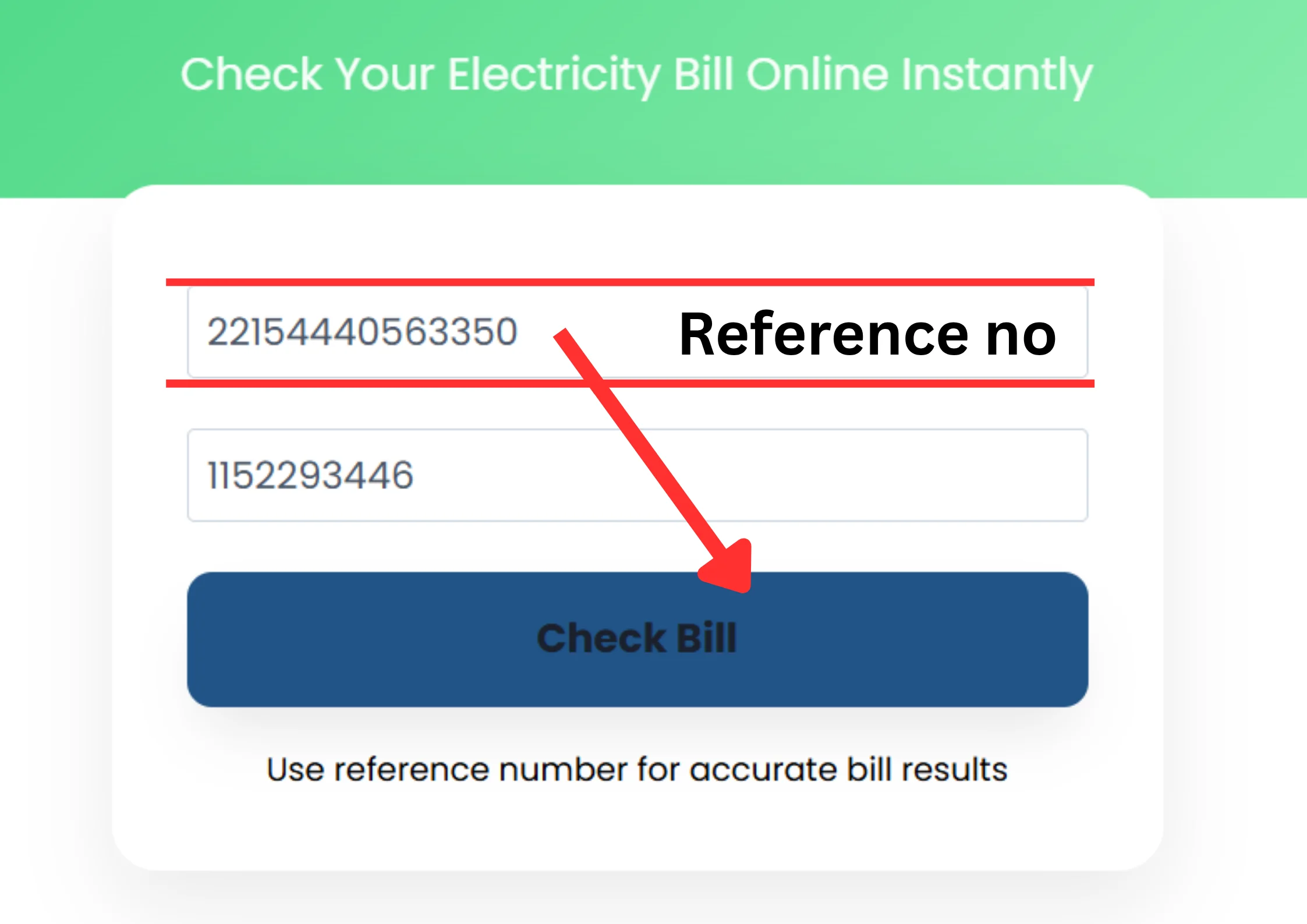
Step 3: Enter the 14-digit number exactly as printed, with no spaces or dashes
Step 4: Tap Check Bill or Show Bill
Step 5: Your current bill loads first, with your billing history displayed below it — showing the last 12 months of records
Using Your 10-Digit Customer ID Instead
If you don’t have your reference number on hand, your Customer ID works just as well and is usually printed directly above the reference number on the same bill.
Step 1: Locate your 10-digit Customer ID on any old paper bill
Step 2: Select Customer ID as your search type on the portal instead of Reference Number
Step 3: Enter the number and submit
Step 4: The same current-bill-plus-history view loads, identical to what you’d get using the reference number
💡 Tip: In most cases, your reference number stays the same every month even as your amount, due date, and units consumed change — so once you find it on one old bill, it should work for every future lookup too.
What Information Your Bill History Actually Shows?
For each of the past 12 months, the history table typically displays:
|
Detail Shown |
What It Tells You |
|---|---|
|
Billing month |
Which month the record belongs to |
|
Payment status |
Whether that bill was paid or remains unpaid |
|
Units consumed |
Your electricity usage for that specific month |
|
Meter reading |
The reading recorded for that billing cycle |
|
Amount paid or due |
The total charged for that month |
This is enough to spot consumption spikes, confirm a bill payment actually went through, or pull together a rough record of your electricity spending over the past year without needing a single physical bill.
Important — Why Your Most Recent Bill May Not Appear Correctly?
This is worth knowing before you rely on this tool for anything urgent: the online history checker is not always 100% accurate for the most recent one to two months. MEPCO bill Payment records can lag behind the actual transaction, meaning a bill you genuinely paid last week might still show as unpaid in the system for a short period afterward.
This doesn’t mean the tool is broken — it’s simply built to give you a general, reliable overview of your billing pattern over time, not a live, instant confirmation of a payment made hours or days ago.
⚠️ Warning: If you need to prove a specific recent payment — for a dispute, refund, or urgent verification — don’t rely solely on the online history showing “paid” status immediately. Keep your payment receipt or bank confirmation as backup proof until the online record catches up.
Real Reasons You’d Need Your Previous MEPCO Bills
People pull up old bills for more than just curiosity. Some of the most common practical uses:
- Tax documentation — utility bills are commonly requested as supporting proof of expenses or residency for tax filings
- Loan or credit applications — banks and lenders often ask for a recent utility bill as proof of address
- Consumption comparison — spotting whether a sudden spike in your bill lines up with a genuine increase in units used, or looks more like a billing error
- Rental or property matters — landlords and tenants sometimes need old bills to settle disputes over who owes what from a previous billing period
- General record-keeping — simply having a running history of what you’ve paid month to month, without keeping a folder of paper bills
What If You Need Bills Older Than 12 Months?
The standard online history checker only covers the past 12 months — anything older than that won’t display through the same reference number lookup. If you genuinely need records from further back:
- Visit your local MEPCO customer service center in person, where staff can pull archived billing records tied to your account
- Bring your CNIC and, if possible, your reference number or Customer ID to speed up the lookup, since older records are stored separately from the live online system
- Be prepared that very old records — several years back — may take longer to retrieve, since they’re not part of the automated 12-month rolling window
How an Old Unpaid Bill Affects Your Current One?
This is a connection most guides don’t explain clearly: if you were ever granted a payment deferral on a past bill, that unpaid amount doesn’t just disappear — it shifts forward and shows up as a separate line item labeled “Deferred Amount” on your next bill, without triggering an immediate late fee at the time of deferral.
So if your current bill looks higher than expected and you don’t remember why, checking your previous bill history is often exactly where the answer is — a deferred balance from a month or two back quietly carried forward into your present total.
Lost Your Reference Number? How to Recover or Change It
If you’ve lost every old paper bill and have no way to find your reference number or Customer ID, or if you specifically need your reference number updated or changed on your account, this isn’t something you can do through the online portal.
You’ll need to visit the MEPCO Complex on Khanewal Road, MEPCO Colony, Multan, in person, to have this handled directly by staff. Bring your CNIC and any account-identifying information you do have, even if it’s incomplete, to help them locate your connection faster.
Disputing an Incorrect Previous Bill
If you spot something wrong in your billing history — a payment that shows as unpaid despite proof otherwise, or units consumed that don’t match your actual usage for a past month — the right channel is MEPCO’s Complaint Management System (CCMS), not the bill-checking tool itself, since the checker only displays records, it doesn’t correct them.
Step 1: Log the specific month and discrepancy you’ve noticed from your billing history
Step 2: Access CCMS through MEPCO’s official channels and register a complaint, including your reference number and a clear description of the issue
Step 3: Track your complaint status through the same system until it’s resolved
💡 Tip: Screenshot or save a copy of the discrepancy you’re disputing before filing your complaint — having a record of exactly what the system showed at the time you noticed the error strengthens your case if the display later changes or updates.
Frequently Asked Questions
Conclusion
Checking your MEPCO previous bill history is built directly into the same simple lookup you’d use for your current bill enter your reference number or Customer ID, and the last 12 months appear right below your latest amount due. Just remember the online record can lag a month or two behind actual payments, so keep receipts as backup for anything urgent, and if a current bill looks unexpectedly high, check your history first — a forgotten deferred amount is often the real explanation. For anything older than 12 months, a quick in-person visit to your local MEPCO office is still the only way to pull archived records.