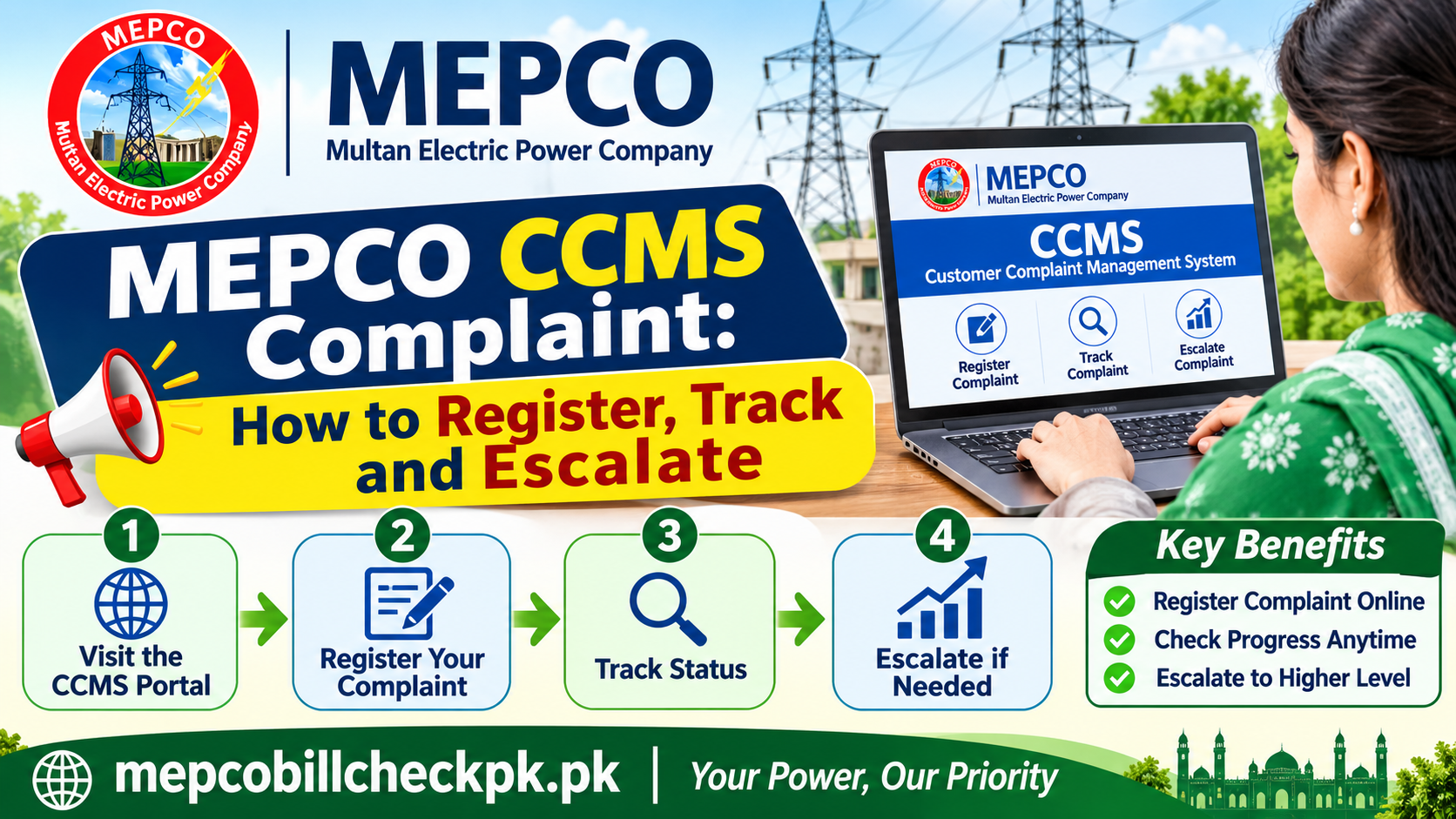
MEPCO CCMS Complaint: How to Register, Track and Escalate
You can register a MEPCO CCMS complaint online with your 14-digit Reference Number, save the ticket number it gives you, track progress with that number, and escalate to the Sub-Division Office or NEPRA if it stalls.
Written by Syeda Mah Para Bashir, SEO Specialist and Content Writer, South Punjab. Based on publicly available MEPCO and NEPRA information. Last reviewed 6 November 2026.
What Is the MEPCO CCMS Complaint System?
CCMS is the online complaint system that electricity distribution companies, including MEPCO, use to receive and track consumer complaints. Instead of relying on a phone call that leaves no record, you submit your complaint against your Reference Number and receive a ticket you can quote later.
What CCMS is good for?
CCMS suits complaints that can be described in a few lines and supported by a figure or a photo. It is the fastest way to put a dated, traceable record of your problem on file.
| Complaint area | Examples |
| Billing | Wrong units, EST reading, wrong tariff code, arrears you have already paid |
| Meter | Faulty, damaged or running-fast meter, meter not reading |
| Supply | No supply, repeated tripping, voltage problems |
| Service | Delayed new connection, name or address correction |
What CCMS cannot do?
A portal ticket does not replace a written application at your Sub-Division Office when you need a meter test, a tariff reclassification or a formal bill correction. Treat CCMS as the first, fast step and the office visit as the formal one. Our guide on MEPCO bill correction covers the office step in detail.
What to Prepare Before You File?
Five minutes of preparation decides whether your complaint is understood on the first read. Gather these before you open the portal.
|
Item |
Where to find it |
Why it matters |
|---|---|---|
|
14-digit Reference Number |
Top of any recent bill, or a bank payment receipt |
Links the complaint to your connection |
|
Billing month in dispute |
Printed on the bill |
Tells the officer which bill to check |
|
Meter reading and photo |
Your meter display, photographed with date and time |
Your evidence if the reading is wrong |
|
Reading on the bill |
Present Reading and Previous Reading fields |
Lets you state the exact difference |
|
Your tehsil or area |
Your address |
Routes the complaint to the correct Sub-Division Office |
|
Working mobile number |
Your own phone |
Lets the office contact you |
Write your problem in one sentence before you start, for example: “My meter shows 4,210 but the bill for this month records 4,560.” A complaint that states the exact figures is easier to act on than one that only says the bill is too high.
How to Register a MEPCO CCMS Complaint, Step by Step?
The portal’s screens and options can change, so use these steps as the general flow and follow what the official page shows on the day.
Step 1: Open the official MEPCO website
Go to mepco.com.pk by typing it into your browser, and find the complaint section. Avoid links from messages or ads, and never enter your details on a lookalike site.
Step 2: Enter your Reference Number
Type the 14-digit Reference Number with digits only, no spaces and no trailing letter. Check it against your bill before you continue.
Step 3: Choose the right complaint category
Pick the category that matches your problem, such as billing or meter, rather than a general option. A correctly categorised complaint reaches the right team sooner.
Step 4: Describe the problem with figures
State what is wrong in two or three lines: the billing month, the figure on your meter and the figure on the bill. Mention that you hold a dated photo of the meter.
Step 5: Add your area and contact number
Name your tehsil or area, and give a mobile number you answer. If the office calls from an unknown number, you do not want to miss it.
Step 6: Submit and save your ticket number
After you submit, note the ticket number shown on screen and take a screenshot. This number is the thread you pull at every later step.
What to Write for Each Type of Complaint?
A complaint that names the problem, the figure and the request in plain words gets read faster. Use these wordings as starting points and replace the figures with your own.
|
Complaint type |
What to include |
Example wording |
|---|---|---|
|
Wrong reading |
Billing month, meter figure, bill figure, photo |
“For the month of [month], my meter shows [X] but the bill records [Y]. Please verify the reading and correct the bill.” |
|
EST reading |
Billing month, your actual reading |
“My bill for [month] is marked EST. My actual meter reading is [X]. Please send a meter reader and correct the bill.” |
|
Suspected faulty meter |
Usage pattern, dates, photos |
“My units rose sharply with no change in usage. Please arrange a meter accuracy test.” |
|
Wrong tariff code |
Connection type, current code |
“My connection is [type] but the bill shows tariff code [code]. Please review and reclassify.” |
|
Payment not reflected |
Payment date, channel, receipt reference |
“I paid [amount] on [date] through [channel], but arrears still show it. Please credit my payment.” |
|
No supply or fault |
Location, since when, pole or transformer nearby |
“Supply has been off since [time] in [area]. Please send a repair team.” |
Keep each complaint to one problem. If you have two separate issues, such as a wrong reading and a missing payment, file them as two tickets so that each can be closed on its own.
How to Track and Follow Up on Your Complaint?
Your ticket number is the key to every follow-up, so keep it in three places: a screenshot, your notes and a message to yourself. Whether the portal shows a live status page can change, so also plan to follow up through the office.
A simple follow-up routine
Give the office a fair amount of time to respond before you chase it. Then follow up in person or by phone, quote the ticket number and ask two direct questions: who is handling the complaint, and what is the next step and date.
|
When |
What to do |
Record it |
|---|---|---|
|
Day you file |
Save the ticket number and a screenshot |
Date and ticket number |
|
After a reasonable wait with no response |
Contact or visit the Sub-Division Office with your ticket number |
Name of the person you spoke to and what they said |
|
Still unresolved |
Submit a written application and get your copy stamped |
Stamped copy |
|
Still unresolved after that |
Escalate to NEPRA with the full paper trail |
NEPRA acknowledgement |
Keep a complaint log
A dated record turns a vague grievance into a documented case. Our guide on MEPCO bill correction includes a copy-and-keep complaint log you can use for this.
When CCMS Does Not Resolve Your Complaint?
Move up one level at a time, and carry your ticket number and evidence with you at every step.
| Level | Use it when | What to bring |
| 1. CCMS ticket | Always the first step | Reference Number, figures, photo |
| 2. Sub-Division Office | The ticket has had no response, or you need a meter test, tariff change or formal bill correction | CNIC, current and past bills, meter photo, ticket number, written application |
| 3. NEPRA consumer complaint | MEPCO has not resolved the matter after a reasonable time | Ticket number, stamped application, dates of each step, evidence |
| 4. Government complaint portal | You want an additional route after the steps above | Your full paper trail |
NEPRA regulates electricity distribution companies, and you can file a consumer complaint through its website, nepra.org.pk, where its current contact details are listed. Use it after you have gone through MEPCO, not instead of it. The government’s Pakistan Citizen Portal is another route some consumers use. Check its own site for how it handles utility complaints.
While any complaint is open, pay the undisputed part of your bill before the due date. A pending complaint does not by itself stop late payment surcharge or a disconnection notice.
Common Mistakes That Delay a CCMS Complaint
Most stalled complaints share a handful of avoidable problems. Check your own filing against this list.
| Mistake | Why it slows things down | What to do instead |
| Wrong or mistyped Reference Number | The complaint attaches to the wrong connection or is rejected | Copy the 14 digits from your bill and re-check them |
| Vague description such as “bill is too high” | The officer cannot tell what to verify | State the billing month, your reading and the bill’s reading |
| Several problems in one ticket | One issue holds the whole ticket open | File one ticket per problem |
| Not saving the ticket number | You cannot follow up or escalate cleanly | Screenshot it and write it down immediately |
| Skipping the meter photo | Your word stands alone against the record | Photograph the display with date and time |
| Withholding the whole payment | Late payment surcharge and disconnection risk continue | Pay the undisputed amount on time |
| Using an unofficial website | Your details go to a third party | Start from mepco.com.pk |
Practical Field Notes for Consumers
From three years of helping South Punjab residents understand their MEPCO bills, the complaints that get resolved most smoothly share three traits. They are specific, they are documented and they are followed up.
| Habit | What it looks like in practice |
| Be specific | Two figures and a billing month, not a general complaint about the amount |
| Be documented | A dated meter photo, the bill, and a ticket number saved on day one |
| Be persistent but polite | A calm follow-up quoting the ticket number, rather than repeated new complaints |
| Use the right channel for the job | CCMS for the fast record, the Sub-Division Office for formal remedies, NEPRA for escalation |
Two habits worth building now
- Photograph your meter every month, even when the bill looks normal. A run of dated photos makes any later dispute far easier to prove.
- Save your Reference Number in your phone’s notes. You will need it for every bill check, payment and complaint.
These are general patterns, not guarantees. Every office and every case is different, so treat this section as guidance and confirm specifics with your Sub-Division Office.
Frequently Asked Questions About MEPCO CCMS Complaints
Final Words
A MEPCO CCMS complaint works best when it is specific, backed by a photo and followed up with the ticket number in hand. File it online first, move to your Sub-Division Office for formal remedies, and escalate to NEPRA only if the earlier steps stall.